Heym’s payments on the web are handled by Stripe, so your invoices are on Stripe’s billing page, which you open from Heym’s settings. If Pro isn’t for you, you get a full refund within 7 days of a monthly payment, or within 30 days of a yearly or Lifetime payment. This page shows where to find invoices and how to ask for a refund.

Find your invoices

  1. Click your name at the top of the sidebar, then Settings (or press ⇧⌘,).
  2. Click Subscription.
  3. Click Manage subscription. Stripe’s billing page opens (in your web browser if you use the Mac app) and lists your past invoices.
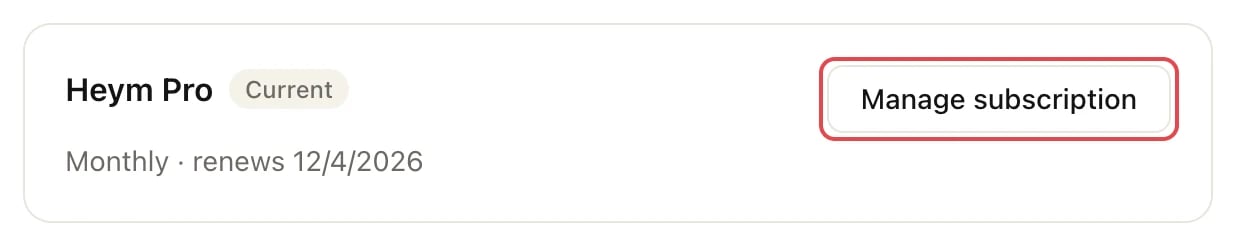
The Heym Pro card in Subscription settings with the Manage subscription button outlined

Manage subscription opens Stripe's billing page

Manage subscription is there while you have Pro, including during a free trial. After Pro has ended, the Subscription settings show the Free plan without it. If you need an old invoice then, write to support@heym.app.
Lifetime is a one-time payment, not a subscription. If you bought Lifetime and can’t find an invoice for it on Stripe’s billing page, write to support@heym.app.

Ask for a refund

You get your money back in full if you ask within these windows. You don’t need to give a reason. Write to support@heym.app. So we can find your payment quickly, include:
  • The email address you sign in to Heym with (it’s at the top of the menu under your name)
  • What you paid for (Monthly, Yearly or Lifetime) and the date of the payment
A refund ends the Pro access it paid for, and your account goes back to the Free plan. Nothing in your account is deleted. See what the Free plan includes. If you’re a consumer, you also have a legal right to withdraw from the contract within 14 days of buying, without giving a reason. How to withdraw, and what you get back, is in § 8 of the terms of service. If you only want to stop future payments, you don’t need a refund: cancel Pro and you keep it until the end of the period you’ve paid for. See Cancel Pro.

Manage Pro

Switch billing cycles, change your card, or cancel.

Free, Pro and Lifetime

What each plan includes and costs.

Contact support

What to include when you write to us.